If you’ve ever walked the floor of a metal fabrication shop, you’ve seen it: big, loud machines slicing through steel plates or bending thick aluminum tubes with pinpoint accuracy. As a supplier of both sheet and tube cutting CNC machines, I get asked this question almost every week by new shop owners, aspiring fabricators, and even engineers who are just stepping into the world of automated metal working. The short answer is that CNC metal cutting machines don’t run on generic software—they rely on specialized, purpose-built tools designed to translate digital designs into precise, repeatable cuts. In this post, I’ll break down the main types of software our team recommends for both sheet and tube machines, explain why each matters, and share what to look for when choosing the right fit for your shop. Metal Sheet and Tube Cutting Machine
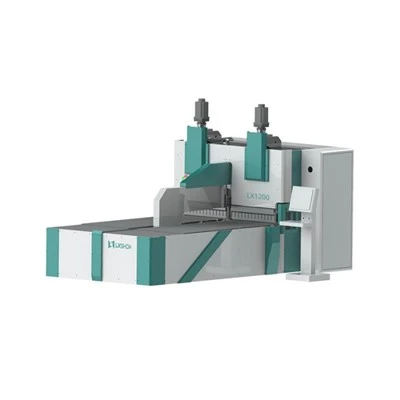
First, let’s set the context: CNC metal cutting machines (whether for flat sheet, round tube, or irregular metal profiles) operate on a closed loop. A human creates a design, that design is translated into a language the machine can understand, the machine executes the cut, and a controller verifies the position in real time. Skip any step, and you’ll end up with misaligned parts, wasted material, or even machine downtime. That’s why generic design tools like basic AutoCAD sketches or consumer 3D modeling software rarely work for production-grade metal cutting. They lack the features to nest parts efficiently, account for material thickness, or adjust for common metal properties like kerf—the width of material removed by a cutting tool, which changes with blade speed, gas pressure, and metal type.
Let’s start with the most foundational software for any CNC metal cutting job: Computer-Aided Design, or CAD, software. This is where you create the blueprint of the part, whether it’s a custom bracket for a farm machine, a frame component for a heavy truck, or a decorative tube rail for a furniture line. Not all CAD software is equal when it comes to metal work, though. Basic 2D CAD tools work for simple sheet cutting jobs—like cutting identical square brackets from 10-gauge steel—but they struggle with tube cutting, which requires handling three-dimensional profiles, mitered joints, and holes drilled along curved tube surfaces. For tube-specific work, most fabricators use 3D CAD tools with tube modeling modules. These let you draw a tube part in its actual shape, mark where cuts need to go, and ensure miter angles line up perfectly when two tubes are joined. For example, if you’re cutting 4-inch round tube to make a 90-degree frame corner, a 3D CAD tool will let you visualize the cut path before you even load the material into the machine, eliminating guesswork.
But CAD alone doesn’t tell the machine how to cut. That’s where Computer-Aided Manufacturing, or CAM, software comes in—this is the middleman that turns your CAD design into G-code, the universal language CNC machines use to move, cut, and position. For sheet metal cutting, CAM software does two critical jobs: nesting and tool path generation. Nesting is the process of arranging multiple parts from a single flat sheet so you waste as little material as possible. A good CAM nesting tool can cut dozens of small parts from a single sheet, reducing scrap by 10% to 20%—a huge savings when steel can cost $500 or more per sheet. For tube cutting, CAM software has to account for the tube’s round shape, so it generates a 3D cut path that wraps around the tube, not just a flat 2D line. This means you can cut slots, holes, and miters on any axis, even on irregular tubing shapes like square or rectangular profiles.
A common mistake we see new operators make is using a basic CAM tool that doesn’t support their specific cutting technology. If you have a plasma cutter, for example, the CAM needs to adjust for plasma’s kerf, pierce time, and heat-affected zone—an area of metal near the cut that’s hardened or warped from heat. For laser cutters, the CAM will optimize cut speed and gas pressure to avoid melting delicate edges, while waterjet cutters use CAM that accounts for water stream width and pressure, which is ideal for thick, heat-sensitive metals like titanium. We always advise customers to pick CAM software that’s compatible with their machine’s cutting type—plasma, laser, waterjet, or oxy-fuel—because mismatched software leads to bad cuts, broken tools, and lost time.
Next, you need CNC controller software, which is the interface between the CAM output and the machine itself. This is the software that runs on the machine’s control panel, letting operators load G-code, adjust cut parameters, and monitor progress in real time. For sheet and tube cutting, controllers fall into two main categories: proprietary and open-source. Proprietary controllers, like those from Siemens or Haas, are built by machine manufacturers and are tightly integrated with the hardware. They’re reliable, easy for operators to learn, and come with pre-configured settings for common jobs—perfect for shops that run high-volume, consistent work. The tradeoff is that they’re less flexible; you can’t easily customize G-code or integrate third-party tools like inventory trackers. Open-source controllers, like LinuxCNC, are popular with smaller shops or custom fabricators because they’re free and highly customizable, but they require more technical knowledge to set up and maintain. For most of our customers, who run a mix of sheet and tube jobs, proprietary controllers strike the best balance between ease of use and performance.
Another category of software that’s become essential over the last five years is nesting and production management software, especially for shops that run multiple machines or batches of similar parts. Tools like SigmaNEST or FastCAM let you import designs from any CAD program, automatically nest parts for both sheet and tube, and even track material inventory, job timelines, and costs. For example, if a customer orders 50 identical steel brackets, the software will calculate how many sheets of steel you need, arrange the brackets to minimize scrap, and send the job directly to both the sheet cutting machine and, if you need to attach a tube frame, the tube cutting machine. This cuts down on manual data entry, reduces errors, and makes it easy to plan your workflow. We’ve had customers tell us that switching from basic nesting tools to dedicated production software increased their output by 15% in the first month, just by eliminating the time operators spent manually arranging parts.
Now, let’s talk about what to avoid when choosing software. Generic 3D modeling tools, like those designed for consumer 3D printers, are a common pitfall. They often generate too much detail for metal cutting—things like curved edges that are too small to cut, or surfaces that have tiny defects that cause the machine to pause. They also don’t account for material properties, so a design that looks perfect on screen might leave too much kerf or not account for the heat from a plasma cut. Another mistake is choosing software that only works for sheet or only works for tube. If you’re a metal sheet and tube cutting supplier, you need software that handles both—otherwise, you’ll have to rework designs for two different tools, wasting time and money.
At the end of the day, the best software for your shop depends on three things: the type of work you do, the size of your operation, and your team’s technical skills. If you’re a small shop with one sheet cutting machine, basic 2D CAD and a mid-tier CAM tool might be all you need. If you’re a larger shop with both sheet and tube machines, you’ll want production management software that integrates all your tools. If you’re just starting out, look for software that offers training and support—nothing will derail your workflow faster than being stuck with a tool you can’t use.
I’ve seen too many fabricators buy a top-of-the-line CNC machine only to pair it with cheap, incompatible software, turning a $100,000 investment into a underperforming tool. The software is the brain of the machine, and without the right brain, even the best hardware won’t deliver precise, cost-effective cuts. Whether you’re looking to upgrade your current software or set up a new CNC metal cutting operation, take the time to test a few tools, talk to other fabricators in your area, and pick something that grows with your business.

If you’re ready to learn more about the software that works best with our sheet and tube cutting machines, or you have questions about matching the right software to your specific cutting needs, our team is here to help. We’ve helped hundreds of shops across industries—from custom furniture manufacturers to heavy equipment fabricators—find the right software to streamline their work and reduce waste. Reach out to start a conversation about your needs, and we’ll walk you through every step to make sure you get the tools and machine that fit your shop.
Laser Cutting Machine References
American Society of Mechanical Engineers (ASME) B5.54-2021, Methods for Performance Evaluation of Computer Numerically Controlled (CNC) Machining Centers
Fabricators & Manufacturers Association International (FMA), "Nesting Software: The Key to Reducing Material Waste in Metal Fabrication", 2022
Siemens Digital Industries Software, "CAM Tools for 2D and 3D Sheet and Tube Cutting", 2023
LinuxCNC Documentation Team, "Open-Source CNC Control for Metal Cutting Machines", 2021
Jinan Lxshow Laser Manufacture Co., Ltd.
Jinan Lxshow Laser Manufacture Co., Ltd. is one of the most experienced metal sheet and tube cutting machine manufacturers and suppliers in China, featured by quality products and good service Please rest assured to wholesale CE approved metal sheet and tube cutting machine at competitive price from our factory. Customized orders are welcome.
Address: Block A, Golden Times Square, Longdong Street, Lixia District, Jinan City, Shandong Province, Jinan, Shandong, China
E-mail: inquiry05@lxshow.net
WebSite: https://www.lxshowlasers.com/
